The top gaming tablets in 2026 divide into three clear categories. The ASUS ROG Flow Z13 leads native PC gaming with AMD Strix Halo silicon. The Apple iPad Pro M5 dominates mobile GPU efficiency with Tandem OLED. The Lenovo Legion Tab Gen 3 leads handheld Android esports with bypass charging.

Evaluating modern gaming slates requires looking past spec-sheet clock speeds. Sustained frame delivery depends on silicon compute ceilings, thermal dissipation arrays, unified memory bus widths, display response times, and controller integration across distinct hardware classes.

Quick Answer: Which Gaming Tablet Fits Your Library?

Your ideal tablet depends on whether you play native PC games, mobile esports, or tabletop emulators:

  • Native PC & AAA Steam Gaming: ASUS ROG Flow Z13 (AMD Ryzen AI Max+ 395, 40 CU Radeon 8060S, 180Hz screen).
  • Mobile Graphics & OLED Fidelity: Apple iPad Pro M5 (Tandem OLED 1,600 nits, 120Hz ProMotion, 153 GB/s RAM).
  • Handheld Ergonomics & Clamp Controllers: Lenovo Legion Tab Gen 3 (8.8-inch 165Hz LTPS, bypass charging, 350g).
  • Sustained Mobile Esports: RedMagic Astra (ICE-X 20,000 RPM internal turbofan, liquid metal, 2,000Hz touch polling).
  • Large Tabletop & DeX Emulation: Samsung Galaxy Tab S11 Ultra (14.6-inch 120Hz AMOLED, Dimensity 9400+, IP68).

sports_esportsNot Sure Which Gaming Tablet Fits Your Library?

Use our free Tablet Finder Tool to filter by budget, screen size, GPU compute tiers, and refresh rate. Get personalized recommendations in 60 seconds.

Find My Gaming Tablet → Updated with latest ROG Flow Z13, iPad Pro M5 & Galaxy Tab S11 models
bolt TL;DR: Key Hardware Rules for 2026 Gaming Tablets
  • #1 ASUS ROG Flow Z13: Unrivaled leader for native PC Steam, Epic Games, and Game Pass execution locally.
  • #2 Apple iPad Pro M5: Benchmark for mobile graphical fidelity, RE Engine ports, and sub-ms Tandem OLED HDR.
  • #3 Lenovo Legion Tab Gen 3: Best dedicated 8.8-inch handheld console with bypass charging and dual USB-C ports.
  • #4 Samsung Tab S11 Ultra: Ultimate 14.6-inch tabletop slate for multi-window Android gaming, emulation, and DeX.
  • #5 RedMagic Astra: Best active fan-cooled mobile esports slate for locked, flat frametime graphs.
180Hz
Peak panel refresh rate (ROG Flow Z13)
153 GB/s
Unified memory bandwidth (Apple M5)
20,000
RPM internal cooling fan (RedMagic Astra)
<0.1ms
Pixel response time (Tandem OLED)

Quick take: The line between gaming laptops and tablets has blurred. Modern APUs with 40 compute units and custom ARM chips deliver discrete GPU performance within slate chassis under 12 millimeters thin.

Architectural foundations in tablet gaming

Modern tablet gaming is divided into three distinct operating system environments. Each platform presents specific trade-offs between software library breadth, graphics driver overhead, and thermal efficiency.

Windows x86 detachables

Windows detachables use high thermal design power processors with dense integrated GPU silicon. These systems eliminate emulation translation layers, providing native compatibility with PC gaming ecosystems including Steam, the Epic Games Store, GOG, and PC Game Pass. Frame delivery relies on dual vapor chambers, liquid metal thermal interface material, and high-wattage unified memory structures.

Apple iPadOS custom silicon

Apple uses custom ARM-based system-on-chips with hardware-accelerated ray tracing, mesh shading, and wide unified memory interfaces. This silicon delivers high efficiency per watt. However, execution is governed by the closed iPadOS environment, where software library availability remains constrained relative to raw compute capability.

Dedicated Android and esports platforms

Android gaming slates focus on mobile titles, low-latency display outputs, and retro emulation pipelines supporting workloads up to PlayStation 2, GameCube, and Nintendo Switch. These devices prioritize ergonomics, high touch sampling rates, direct bypass power circuitry, and physical controller integration.

Key takeaway: No single platform satisfies every gaming need. Windows detachables excel at native desktop game libraries, iPadOS provides premier mobile rendering efficiency, and compact Android slates lead handheld ergonomics.

Detailed evaluation of the 7 leading gaming tablets

The seven devices reviewed below represent the primary gaming tablets available in the United States, spanning desktop-class x86 computing, flagship mobile architectures, dedicated esports slates, and high-value media platforms.

🏆 #1 • Best Overall PC Gaming
ASUS ROG Flow Z13 Gaming Tablet

ASUS ROG Flow Z13 (2025/2026)

From $2,099
AMD Strix Halo APU with 40 RDNA compute units and unified LPDDR5X-8000 memory.
Processor: AMD Ryzen AI Max+ 395 (16C/32T)
Graphics: AMD Radeon 8060S (40 CUs RDNA)
Display: 13.4" 2560×1600 (180Hz)
OS: Windows 11 Home / Pro

The ASUS ROG Flow Z13 occupies the apex tier of high-performance tablet computing, operating as a full x86-64 Windows 11 platform. Powered by AMD Strix Halo architecture, the system integrates 16 Zen 5 CPU cores and an onboard AMD Radeon 8060S graphics processor with 40 RDNA compute units.

Unlike standard mobile tablets with narrow memory buses, the ROG Flow Z13 incorporates up to 128GB of LPDDR5X-8000 unified system memory. This pool allows dynamic allocation of system RAM directly to graphics memory, bypassing the 8GB VRAM bottlenecks that cause frame stuttering in modern AAA releases such as Monster Hunter Wilds and Doom: The Dark Ages. Synthetic and gaming benchmarks show the integrated Radeon 8060S matches mid-tier discrete mobile GPUs within a self-contained 13.4-inch chassis.

Thermal dissipation uses a CNC-milled aluminum chassis paired with a stainless-steel vapor chamber, liquid metal thermal paste, and dual active fans. The display is a 13.4-inch 16:10 panel operating at 2560 × 1600 resolution with a 180Hz refresh rate. While it weighs 2.64 pounds and requires a substantial investment, it is the only tablet form factor capable of running uncompromised desktop PC libraries natively.

View on Amazon →

Affiliate link (I may earn a small commission at no extra cost to you).

🥈 #2 • Best Mobile Visuals & OLED
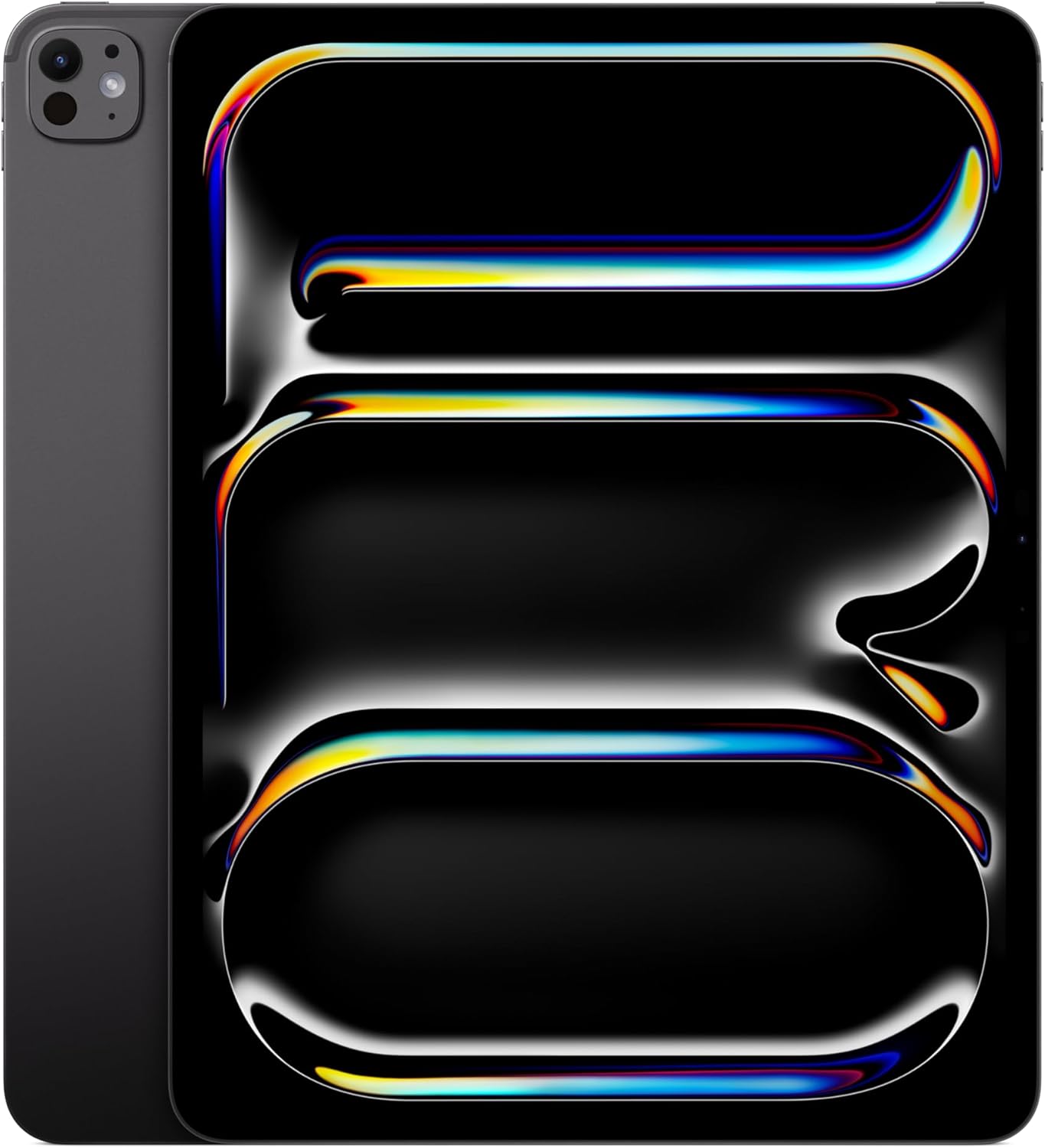
Apple iPad Pro 13 (M5)

Apple iPad Pro (M5 / Tandem OLED)

From $1,139
Tandem OLED architecture with 1,600 nits HDR and 2nd-gen hardware ray tracing.
Processor: Apple M5 (Sub-node ARM SoC)
Graphics: Apple 10-Core GPU (Ray Tracing)
Display: 11.0" & 13.0" Tandem OLED (120Hz)
OS: iPadOS with MetalFX

Apple's flagship iPad Pro, powered by the M5 processor, sets the benchmark for mobile ARM computing and display quality. Built on an advanced sub-node process, the M5 chip incorporates hardware-accelerated mesh shading and second-generation ray-tracing cores, delivering major rasterization gains over prior M-series generations. In native ports of modern engines, such as Capcom's RE Engine in Resident Evil 4 and Resident Evil Village, the M5 maintains sustained frame rates up to 40% to 50% higher than the M4 under matching render resolutions.

The display uses Apple's Tandem OLED architecture, stacking two OLED emission layers to deliver 1,000 nits of full-screen sustained brightness and 1,600 nits of peak HDR brightness. Paired with a 120Hz ProMotion adaptive refresh rate, pixel response times are near-instantaneous, eliminating trailing artifacts found on conventional IPS displays.

The primary constraint remains software distribution. While titles like Genshin Impact, Honkai: Star Rail, and Zenless Zone Zero render smoothly at 120 FPS, the broader AAA catalog is restricted by Apple's sandboxed iPadOS environment and developer adoption cycles for native MetalFX APIs.

View on Amazon →

Affiliate link (I may earn a small commission at no extra cost to you).

📱 #3 • Best Big-Screen Tabletop & DeX
Samsung Galaxy Tab S11 Ultra

Samsung Galaxy Tab S11 Ultra

From $1,199
Expansive 14.6-inch Dynamic AMOLED 2X canvas with Dimensity 9400+ silicon.
Processor: MediaTek Dimensity 9400+
Graphics: ARM Immortalis-G720 MP12
Display: 14.6" Dynamic AMOLED 2X (120Hz)
Durability: IP68 Water & Dust Resistance

The Samsung Galaxy Tab S11 Ultra is the largest premium gaming slate in the Android ecosystem. Anchored by a 14.6-inch Dynamic AMOLED 2X panel with a resolution of 2960 × 1848, the display delivers 239 PPI of pixel density, a 120Hz refresh rate, and an anti-reflective coating that controls reflections in bright rooms.

The shift to MediaTek's flagship Dimensity 9400+ platform, paired with Immortalis graphics and up to 16GB of LPDDR5X RAM, provides steady frame rates in demanding 3D Android titles. The device sustains 60 FPS in Diablo Immortal and high-overhead emulation environments without sharp thermal throttling, aided by the broad surface area of its 5.4mm-thick Armor Aluminum enclosure.

The 14.6-inch size requires specific usage patterns: holding the slate by hand causes wrist fatigue during long sessions. The Tab S11 Ultra works best placed on a desk stand paired with an external wireless gamepad, or in Samsung DeX mode for mouse-and-keyboard desktop gaming and emulation. Additional hardware benefits include IP68 water resistance, quad AKG speakers, and a microSD slot supporting cards up to 2TB.

View on Amazon →

Affiliate link (I may earn a small commission at no extra cost to you).

🎮 #4 • Best Compact Gaming
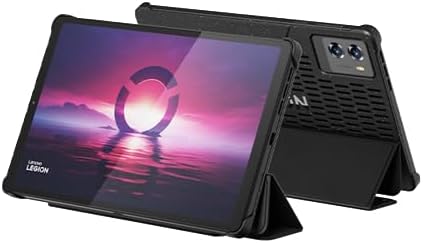
Lenovo 8.8-inch Legion Tab Gen 3

Lenovo 8.8" Legion Tab Gen 3

From $569
8.8-inch 165Hz LTPS display with hardware bypass charging and dual USB-C ports.
Processor: Qualcomm Snapdragon 8 Gen 3
Graphics: Qualcomm Adreno 750
Display: 8.8" 165Hz LTPS (2560×1600, 343 PPI)
Form / Weight: 350g • Fits Telescopic Clamps

The Lenovo 8.8-inch Legion Tab Gen 3 is engineered specifically for handheld gaming portability. Featuring an 8.8-inch 165Hz LTPS display with a 16:10 aspect ratio and sharp 2.5K resolution, the panel delivers high frame fluidity and motion clarity for competitive mobile gaming.

Powered by the Qualcomm Snapdragon 8 Gen 3 platform with 12GB of RAM and 256GB of fast storage, the slate sustains high frame rates in titles like Call of Duty: Mobile, PUBG Mobile, and advanced emulation without aggressive thermal throttling.

Three specific hardware design choices make this tablet exceptional for competitive gaming:

  • Dual USB-C Port Layout: Dedicated USB-C ports along both the short and long edges allow convenient charging in vertical or horizontal orientation without cables obstructing your grip. The long-edge port supports USB 3.2 Gen 2 (10Gbps) and DisplayPort-out.
  • Hardware Bypass Charging: Directly powers the motherboard while bypassing the 6,550mAh battery, keeping thermal loads minimal and extending battery longevity.
  • Telescopic Controller Fit: The compact 8.8-inch slate format (350g) fits seamlessly into mobile clamp controllers like the Razer Kishi Ultra and GameSir G8 Plus.
View on Amazon →

Affiliate link (I may earn a small commission at no extra cost to you).

⚡ #5 • Best Fan-Cooled Mobile Esports
RedMagic Astra Gaming Tablet

RedMagic Astra

From $499
ICE-X 20,000 RPM internal cooling fan with 2,000Hz touch digitizer polling.
Processor: Snapdragon 8 Elite / 8 Gen 3 (OC)
Cooling: 20,000 RPM Turbofan + Liquid Metal
Display: 10.9" – 12.1" 165Hz IPS / OLED
Co-Processor: RedCore Haptic & Audio Chip

The RedMagic Astra is built for sustained mobile esports competition. While standard consumer tablets rely on passive heat transfer through the outer chassis, the Astra integrates an active internal ICE-X cooling system with a 20,000 RPM turbofan, liquid metal thermal paste, and dual vapor chambers.

This active airflow system allows the overclocked Snapdragon processor to maintain peak clock frequencies continuously without throttling, producing flat frametime graphs in graphically intensive titles like Genshin Impact and Wuthering Waves.

The tablet includes a 165Hz panel backed by a 2,000Hz instantaneous touch sampling rate, minimizing input latency during fast-paced competitive play. Additional features include customizable rear RGB lighting, a dedicated RedCore chip that offloads haptic and audio processing from the main SoC, and a starting price of $499. It serves as a focused mobile esports tool that prioritizes sustained framerates over general office productivity features.

📺 #6 • Best Large-Screen Android Value
Samsung Galaxy Tab S10 FE+

Samsung Galaxy Tab S10 FE+

From $549
13.1-inch 120Hz screen, IP68 water resistance, and expandable 2TB storage.
Processor: Samsung Exynos 1580
Memory / Storage: 8GB – 12GB RAM • 128GB – 256GB
Display: 13.1" IPS LCD 2880×1800 (120Hz)
Stylus: Low-Latency S Pen Included

Positioned below flagship prices, the Samsung Galaxy Tab S10 FE+ provides a large-screen Android gaming experience focused on cost efficiency. Powered by an Exynos 1580 processor paired with up to 12GB of RAM, the device delivers stable framerates in standard mobile titles and cloud streaming services.

The screen is a 13.1-inch LCD running at 2880 × 1800 resolution with a 120Hz refresh rate. While it lacks the perfect black levels of OLED panels, the display offers accurate colors, strong brightness, and plenty of screen real estate for touch controls and split-screen multitasking.

The tablet retains key structural features from Samsung's flagship line, including a solid aluminum enclosure, IP68 water resistance, an included S Pen, and expandable storage up to 2TB via microSD. It offers a practical option for gamers wanting a large display for media and casual games without paying flagship OLED prices.

View on Amazon →

Affiliate link (I may earn a small commission at no extra cost to you).

🍎 #7 • Best for Most People
Apple iPad 11th Generation

Apple iPad (11th Gen)

From $329
10.9-inch Liquid Retina display with A16 Bionic silicon and full Apple Arcade support.
Processor: Apple A16 Bionic (5C CPU / 4C GPU)
Memory / Storage: 6GB Unified RAM • 128GB Base
Display: 10.9" Liquid Retina (2360×1640, 60Hz)
Controllers: Xbox Wireless & PS DualSense

The 11th-generation Apple iPad serves as the entry benchmark for iOS gaming. Updated with the Apple A16 Bionic processor, 6GB of unified RAM, and a 128GB baseline storage configuration, this revision resolves the memory limits of older entry-level iPads.

The 10.9-inch Liquid Retina display delivers a resolution of 2360 × 1640 at 500 nits brightness. Although capped at a standard 60Hz refresh rate and using an unlaminated glass panel, the A16 Bionic easily runs mainstream titles across Apple Arcade, Roblox, Minecraft, and casual 3D games at stable 60 FPS.

With an entry price of $329, broad Bluetooth gamepad compatibility for Xbox and PlayStation controllers, and extended iPadOS software support spanning five or more years, it represents an accessible starting point for family gaming and cloud streaming.

View on Amazon →

Affiliate link (I may earn a small commission at no extra cost to you).

Thermals, display pipelines, and input systems

Evaluating raw specifications on paper is incomplete without examining the physical engineering systems that govern sustained gaming performance.

Thermal dissipation and power bypass topologies

In thin tablet enclosures, thermal dissipation is the primary factor that dictates continuous frame stability. High-end mobile SoCs consume 10W to 15W under peak graphics load, while hybrid x86 APUs consume 35W to 65W. In uncooled, passive aluminum enclosures, sustained thermal saturation causes core clock throttling within 15 to 25 minutes, reducing GPU frequencies by 30% to 40% to protect battery chemistry.

Manufacturers resolve this physical limit through two distinct engineering solutions. Active fans, featured in the RedMagic Astra and ASUS ROG Flow Z13, pull cool air across micro-finned vapor chambers to vent heat directly out of the chassis. Alternatively, hardware bypass charging, built into the Lenovo Legion Tab Gen 3, routes electrical current straight from the wall adapter to the motherboard. By keeping the battery electrically idle during play, the system eliminates battery heat and prevents thermal throttling entirely.

Display response characteristics and touch digitizer polling

Refresh rates and touch polling speeds directly affect performance in fast-moving titles. Mainstream 60Hz panels have a frame-time window of 16.67 milliseconds. High-refresh panels operating at 120Hz (8.33ms), 165Hz (6.06ms), and 180Hz (5.55ms) significantly lower motion blur and visual tracking delay.

Panel technology also dictates clarity. Apple's Tandem OLED and Samsung's Dynamic AMOLED panels provide sub-millisecond gray-to-gray pixel response times, eliminating trailing artifacts common on mobile IPS displays. Esports-focused tablets also feature high-speed touch digitizers scanning at 480Hz up to 2,000Hz, reducing input latency between screen touches and on-screen actions.

Peripheral integration and cloud streaming pipelines

Tablet weight and chassis dimensions determine how devices are held and played:

  • Compact (8.3" to 8.8", 340g to 350g): Fits directly into telescopic clamp controllers like the Razer Kishi Ultra or GameSir G8 Plus, forming an integrated handheld gaming console.
  • Standard (10.9" to 11.0", 440g to 480g): Best for direct touch-screen gameplay, mobile titles, or use with a tabletop stand and wireless gamepad.
  • Large (13.0" to 14.6", 700g to 1.2kg): Impractical for handheld clamping; designed for integrated kickstands, wireless controllers, desktop mice, and keyboards.

For cloud gaming services like NVIDIA GeForce NOW RTX tiers, modern tablets with Wi-Fi 7 modules and hardware AV1 decoding enable smooth 4K streaming at up to 120 FPS with network latency under 20 milliseconds.

Hardware specification comparison matrix

The table below provides a detailed technical comparison of the seven leading gaming tablets available in the United States:

Model Operating System Processor / SoC GPU Configuration RAM & Storage Display & Refresh Rate Thermal Architecture US MSRP
ASUS ROG Flow Z13 (2025/2026) Windows 11 Home / Pro AMD Ryzen AI Max+ 395 (16C/32T) AMD Radeon 8060S (40 CUs RDNA) 32GB – 128GB LPDDR5X-8000; 1TB – 2TB NVMe 13.4" IPS 2560×1600 (180Hz) Dual Vapor Chamber, Liquid Metal, Active Dual Fans $2,099.99 – $2,799.99
Apple iPad Pro (M5 / Tandem OLED) iPadOS Apple M5 (Sub-node ARM) 10-Core Apple GPU (Ray Tracing) 8GB / 16GB Unified; 256GB – 2TB NVMe 11.0" & 13.0" Tandem OLED (120Hz ProMotion) Structural Graphite, Passive Chassis Dissipation $1,139.00 – $2,409.00+
Samsung Galaxy Tab S11 Ultra Android / One UI MediaTek Dimensity 9400+ ARM Immortalis-G720 MP12 12GB – 16GB LPDDR5X; 512GB – 1TB UFS 4.0 14.6" Dynamic AMOLED 2X (120Hz) Armor Aluminum Chassis Spread, IP68 Rated $1,199.99 – $1,499.99
Lenovo 8.8" Legion Tab Gen 3 Android Qualcomm Snapdragon 8 Gen 3 Qualcomm Adreno 750 12GB LPDDR5X; 256GB UFS 4.0 Pro 8.8" LTPS 2560×1600 (165Hz) ColdFront Vapor Chamber, Hardware Bypass Charging $569.00 – $649.00
RedMagic Astra Android / RedMagic OS Snapdragon 8 Elite / 8 Gen 3 (OC) Adreno 750 / A840 Engine 12GB – 16GB LPDDR5X; 256GB – 512GB UFS 4.0 10.9" – 12.1" IPS / OLED (165Hz) ICE-X 20,000 RPM Active Turbofan + Liquid Metal 2.0 $499.00 – $649.00
Samsung Galaxy Tab S10 FE+ Android / One UI Samsung Exynos 1580 Integrated Xclipse / Mali GPU 8GB – 12GB LPDDR5; 128GB – 256GB Flash 13.1" IPS LCD 2880×1800 (120Hz) Passive Aluminum Heat Spreading, IP68 Rated $549.99 – $649.99
Apple iPad (11th Gen, 2025/2026) iPadOS Apple A16 Bionic (5C CPU) 4-Core Apple Custom GPU 6GB Unified RAM; 128GB – 256GB Flash 10.9" Liquid Retina 2360×1640 (60Hz) Passive Logic Board Aluminum Dissipation $329.00 – $449.00

Form factor, ergonomics, and input interoperability

Physical dimensions and weight determine how each tablet integrates with gaming controllers, desks, and mobile setups:

Form Factor Class Physical Weight Ideal Peripheral Setup Primary Gaming Application
8.3" – 8.8" Compact 340g – 350g Telescopic Clamps (Razer Kishi Ultra / GameSir G8 Plus) Integrated Handheld Gaming, Direct Thumbstick Control
10.9" – 11.0" Standard 440g – 480g Touch Display / Bluetooth Gamepad / Desk Stand Mobile Touch Titles, Apple Arcade, Casual Gaming
13.0" – 14.6" Large 700g – 1.20kg Kickstand + 2.4GHz Gamepad / Mouse & Keyboard Tabletop Emulation, Desktop DeX Mode, Native PC AAA

Pricing, configurations, and market availability

The matrix below outlines base and tested configuration pricing across major retail channels in the United States:

Model Base Config (RAM / SSD) Base MSRP (USD) Top Config (RAM / SSD) Top MSRP (USD)
ASUS ROG Flow Z13 32GB / 1TB NVMe $2,099.99 128GB / 2TB NVMe $2,799.99
Apple iPad Pro (M5) 8GB / 256GB (11-inch) $1,139.00 16GB / 2TB (13-inch) $2,409.00+
Samsung Galaxy Tab S11 Ultra 12GB / 512GB $1,199.99 16GB / 1TB $1,499.99
Lenovo 8.8" Legion Tab Gen 3 12GB / 256GB UFS 4.0 $569.00 16GB / 512GB UFS 4.0 $649.00
RedMagic Astra 12GB / 256GB $499.00 16GB / 512GB $649.00
Samsung Galaxy Tab S10 FE+ 8GB / 128GB $549.99 12GB / 256GB $649.99
Apple iPad (11th Gen) 6GB / 128GB $329.00 6GB / 256GB $449.00

Strategic purchasing verdict and ecosystem mapping

Choosing the right gaming tablet comes down to matching your primary gaming library with the correct form factor and cooling hardware:

  • Native PC & AAA Desktop Gaming: The ASUS ROG Flow Z13 is the undisputed leader. Its AMD Ryzen AI Max+ 395 silicon, 180Hz screen, and massive unified memory architecture allow it to run full desktop PC game libraries locally without cloud streaming dependencies.
  • High-Fidelity Mobile Titles and OLED Visuals: The Apple iPad Pro (M5) provides exceptional mobile compute efficiency and display contrast, excelling at high-framerate mobile titles and media production.
  • Large Tabletop Emulation and Media Multitasking: The Samsung Galaxy Tab S11 Ultra provides the largest visual canvas with its 14.6-inch Dynamic AMOLED 2X display, IP68 water resistance, and desktop DeX software.
  • Dedicated Handheld Console Ergonomics: The Lenovo 8.8" Legion Tab Gen 3 offers a specialized gaming build, combining an 8.8-inch 165Hz screen, dual USB-C ports, hardware bypass charging, and broad compatibility with clamp-on telescopic controllers.
  • Sustained Competitive Mobile Esports: The RedMagic Astra uses active internal turbofan cooling to sustain peak clock speeds and flat frametimes in demanding 3D mobile games at an accessible price.
  • Budget-Conscious Mobile Gaming: The Samsung Galaxy Tab S10 FE+ delivers a large mid-range Android screen with expandable storage, while the Apple iPad 11th Gen provides an affordable entry point to the iOS gaming catalog with multi-year update support.
Final recommendation: For native PC gaming, choose the ASUS ROG Flow Z13. For dedicated handheld gaming with clamp controllers, pick the Lenovo Legion Tab Gen 3. For maximum mobile graphics and OLED HDR quality, select the iPad Pro M5.

Frequently asked questions


Works cited and references

  1. Mark's Breakdown on the Best Gaming Tablets – Marks Angry Review (marksangryreview.com)
  2. Tablet Roundups – PCMag (pcmag.com)
  3. Asus ROG Flow Z13 (2025) Review: This Gaming Tablet Delivers – PCMag (pcmag.com)
  4. Legion Tab Gen 3 / Gen 5 Review: Is It The Best Gaming Tablet? – Game Tested Tech (gametestedtech.com)
  5. Lenovo Legion Tab Review – Sypnotix (sypnotix.com)
  6. The Best Gaming Tablets for 2026 – PCMag UK (uk.pcmag.com)
  7. The Best Android Tablets We've Tested for 2026 – PCMag (pcmag.com)
  8. iPad Pro M4/M5 Hardware for Gaming Analysis – Reddit r/iPadPro (reddit.com)
  9. Asus ROG Flow Z13 Touchscreen Gaming Hardware Analysis – Tom's Hardware (tomshardware.com)
  10. Apple M5 Architecture & RE Engine Benchmark Comparison – r/macgaming (reddit.com)
  11. Apple iPad Pro 11/13 Performance & OLED Thermal Analysis – Notebookcheck (notebookcheck.net)
  12. iPad Pro M4 vs M5 Gaming Benchmarks – Tech Analysis Video Review (youtube.com)
  13. Nubia RedMagic Nova / Astra Gaming Tablet Benchmark Collection – Notebookcheck (notebookcheck.net)
  14. Lenovo Legion Tab Gen 3 Hardware Overview – Mugen Milano (mugenmilano.com)
  15. Lenovo Legion Tab Gaming Review – XDA Developers (xda-developers.com)
  16. ROG Flow Z13 Architecture & APU Benchmarks – LaptopMedia (laptopmedia.com)
  17. Best Tablets in 2026: Top Picks from Apple, Samsung, and Lenovo – CNET (cnet.com)
  18. Samsung Galaxy Tab S10/S11 Ultra Technical Review – Notebookcheck (notebookcheck.net)
  19. Lenovo Legion Tab Gen 3 Official Technical Specifications – Lenovo US (lenovo.com)
  20. NVIDIA GeForce NOW RTX Cloud Gaming Architecture & AV1 Requirements – NVIDIA (blogs.nvidia.com)