
The best GPU for local LLMs is the one whose VRAM holds the model you want to run. If a model fits entirely in video memory, Ollama or llama.cpp generates text quickly. If it spills into system RAM, speed collapses to a few tokens per second, no matter how fast the GPU is.
This guide ranks seven graphics cards by what they can actually run: 8B, 14B, 32B or 70B models. Every speed figure is an estimate calculated from each card's memory bandwidth and the model's size (method explained below), so you can compare cards fairly before you spend money.
Quick Answer: Which GPU should I buy for local LLMs?
- Budget (8B–14B models): RTX 5060 Ti 16GB — the cheapest new NVIDIA card with 16GB.
- Best 16GB for speed: RTX 5080 — roughly twice the memory bandwidth of the 5060 Ti.
- AMD value pick: Radeon RX 9070 XT — 16GB with fast memory, if you're comfortable with ROCm.
- 32B models: RTX 5090 (32GB) — runs 32B fully on the GPU with room for long context.
- 70B on one card: RTX 6000 Ada (48GB) — the only pick here that fits a 70B model at Q4.
- Skip 8GB cards: they cap you at 7B–8B models with short context.
- 16GB: 14B models comfortably, 20B MoE models like gpt-oss-20b just fit.
- 24–32GB: the sweet spot for 27B–32B models, the best quality most people can run locally.
- Bandwidth = speed: between two cards with the same VRAM, the one with higher GB/s generates faster.
Speeds are estimates: bandwidth ÷ model size × ~0.6 efficiency. Real results vary by about ±30% with software, quantization and context length.
How to Choose: VRAM Decides What Fits, Bandwidth Decides Speed
Every time an LLM generates a token, the GPU reads (almost) all of the model's weights from memory. That's why two numbers matter far more than gaming benchmarks:
- VRAM (GB): must hold the model weights plus the context (KV cache). At the standard Q4_K_M quantization a model needs roughly 0.6 GB per billion parameters, plus 1–2 GB for an 8K context.
- Memory bandwidth (GB/s): sets the speed limit. A rough upper bound is bandwidth ÷ model size; real software reaches about 60% of that.
| Model size | Memory at Q4 | Smallest card that fits it fully | Examples |
|---|---|---|---|
| 7B–8B | ~5 GB | 8GB (16GB for long context) | Llama 3.1 8B, Qwen3 8B |
| 12B–14B | ~8–9 GB | 12GB, comfortable on 16GB | Gemma 3 12B, Qwen3 14B, Phi-4 |
| 20B (MoE) | ~13–14 GB | 16GB | gpt-oss-20b |
| 27B–32B | ~17–20 GB | 24GB (32GB for long context) | Gemma 3 27B, Qwen3 32B, Qwen3-Coder 30B |
| 70B | ~43 GB | 48GB | Llama 3.3 70B |
The 7 Best GPUs for Local LLMs
Ranked from least to most capable. GPU prices have moved a lot in 2026, sometimes by hundreds of dollars in a few weeks, so we don't print prices here. Use each button to see today's price.
1. ZOTAC RTX 5060 Ti 16GB — Best Budget GPU for Local LLMs

1. RTX 5060 Ti 16GB — cheapest new 16GB NVIDIA card
Price changes often — check today’s price on Amazon
🎯 Best for: 8B–14B models, first local AI build
16GB GDDR7 · 448 GB/s · ~180W · 8B ≈ 55 tok/s, 14B ≈ 30 tok/s (est.)
Check Price on Amazon →The 16GB version of the RTX 5060 Ti is the entry ticket to useful local AI. It runs every 7B–14B model fully on the GPU and has room for long context on 8B models. Its weakness is a narrow 128-bit memory bus (448 GB/s), so it's the slowest card here. 14B models run at a comfortable reading speed, not instantly.
Buy it if you want a quiet, low-power card for chat, coding autocomplete and RAG with 8B–14B models. Skip it if you already know you want 32B models; no 16GB card can run them fully on the GPU.
2. AMD Radeon RX 9070 XT — Best AMD Value Pick

2. Radeon RX 9070 XT — 16GB with fast memory
Price changes often — check today’s price on Amazon
🎯 Best for: Value-focused builders comfortable with ROCm/Vulkan
16GB GDDR6 · 640 GB/s · ~304W · 8B ≈ 75 tok/s, 14B ≈ 43 tok/s (est.)
Check Price on Amazon →Often priced close to the RTX 5060 Ti 16GB, the RX 9070 XT has about 40% more memory bandwidth, so it generates text noticeably faster. Ollama and llama.cpp support AMD GPUs through ROCm and Vulkan.
3. RTX 4070 Ti Super 16GB — Only If You Find It Cheap

3. RTX 4070 Ti Super — previous-generation 16GB
Price changes often — check today’s price on Amazon
🎯 Best for: Buyers who find it well below RTX 5080 pricing
16GB GDDR6X · 672 GB/s · ~285W · 8B ≈ 80 tok/s, 14B ≈ 45 tok/s (est.)
Check Price on Amazon →A solid 16GB card from the previous generation. The RTX 5080 has 43% more bandwidth, so the 4070 Ti Super is only worth buying if it costs clearly less than a 5080, ideally close to RX 9070 XT money.
4. NVIDIA GeForce RTX 5080 — Fastest 16GB Card
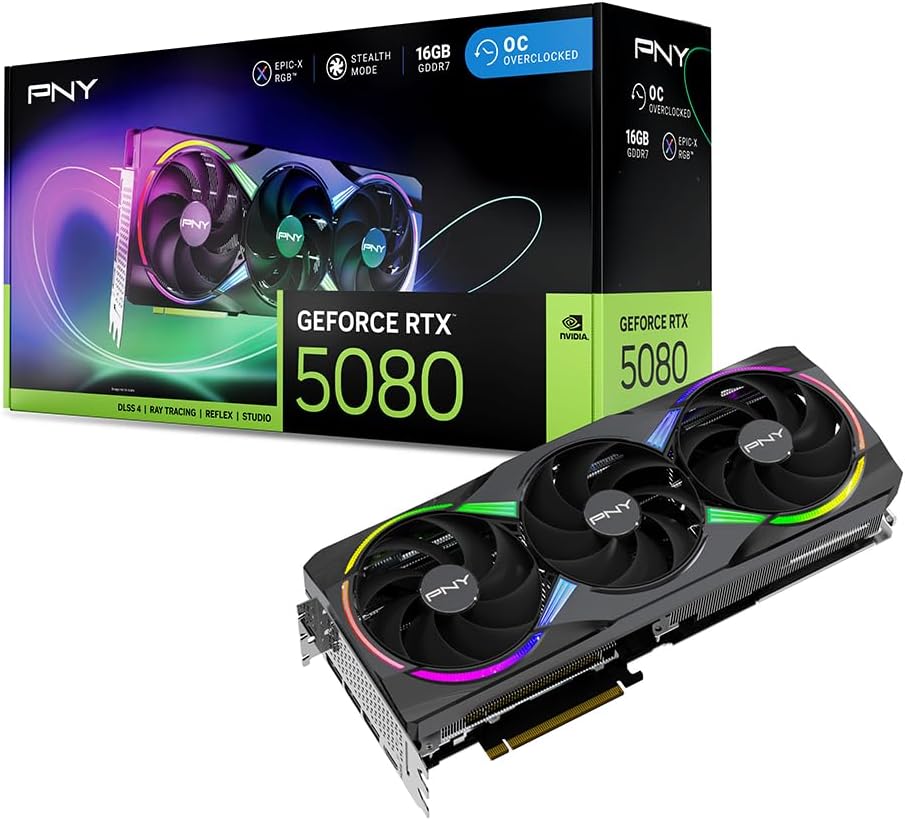
4. RTX 5080 — best 16GB card for speed
Price changes often — check today’s price on Amazon
🎯 Best for: Fast 14B–20B models, gaming + AI on one card
16GB GDDR7 · 960 GB/s · ~360W · 8B ≈ 115 tok/s, 14B ≈ 65 tok/s (est.)
Check Price on Amazon →The RTX 5080 has the same 16GB as the cheaper cards but twice the 5060 Ti's bandwidth. 14B models answer almost instantly and gpt-oss-20b fits. It's the best choice if you also game at 4K and want one card for both.
The catch: 16GB is still 16GB. If 32B models are your goal, a used or new 24–32GB card is the better buy.
5. ASUS TUF RTX 4090 24GB — 32B Models on a Budget (If Priced Right)

5. RTX 4090 24GB — runs 32B models fully on the GPU
Price changes often — check today’s price on Amazon
🎯 Best for: 27B–32B models with moderate context
24GB GDDR6X · 1,008 GB/s · ~450W · 14B ≈ 67 tok/s, 32B ≈ 30 tok/s (est.)
Check Price on Amazon →24GB is the first tier that runs 32B models (Qwen3 32B, Qwen3-Coder 30B, Gemma 3 27B) completely on the GPU. The 4090 is out of production, though, and new stock is scarce and often priced close to an RTX 5090. Compare both before buying: see our RTX 5090 vs RTX 4090 for local LLMs breakdown.
6. ASUS ROG Astral RTX 5090 32GB — Best Consumer GPU for Local LLMs

6. RTX 5090 32GB — fastest consumer card for LLMs
Price changes often — check today’s price on Amazon
🎯 Best for: 32B models with long context, fastest local inference
32GB GDDR7 · 1,792 GB/s · ~575W · 14B ≈ 120 tok/s, 32B ≈ 54 tok/s (est.)
Check Price on Amazon →The RTX 5090 is the best consumer GPU for local AI by a wide margin: 32GB of VRAM and 1,792 GB/s of bandwidth, about 1.8× the RTX 4090. 32B models run fully on the GPU with room for 32K+ context, and smaller models feel instant.
The ROG Astral listed here is a premium version. Other RTX 5090 models with the same chip and memory often cost less, and LLM speed is nearly identical between them. Budget for a 1000W+ power supply.
7. NVIDIA RTX 6000 Ada 48GB — 70B Models on One Card

7. RTX 6000 Ada — 48GB workstation card
Price changes often — check today’s price on Amazon
🎯 Best for: 70B models, multi-user servers, fine-tuning
48GB GDDR6 ECC · 960 GB/s · ~300W, 2-slot blower · 32B ≈ 29 tok/s, 70B ≈ 13 tok/s (est.)
Check Price on Amazon →48GB is what a 70B model needs at Q4 (~43GB). The RTX 6000 Ada fits one in a single, quiet, 300W two-slot card that stacks well in workstations. Its bandwidth is lower than the 5090's, so smaller models run slower than on a 5090. You pay for the capacity, ECC memory and pro drivers.
Cheaper route to 70B: a Mac with 64GB+ of unified memory runs 70B models more slowly but for much less money. See our best Mac for local LLMs guide.
Comparison Table: VRAM, Bandwidth & Estimated Speed
| GPU | VRAM | Bandwidth | 8B (est.) | 14B (est.) | 32B (est.) | 70B |
|---|---|---|---|---|---|---|
| RTX 5060 Ti 16GB | 16 GB | 448 GB/s | ~55 tok/s | ~30 tok/s | won't fit | won't fit |
| RX 9070 XT | 16 GB | 640 GB/s | ~75 tok/s | ~43 tok/s | won't fit | won't fit |
| RTX 4070 Ti Super | 16 GB | 672 GB/s | ~80 tok/s | ~45 tok/s | won't fit | won't fit |
| RTX 5080 | 16 GB | 960 GB/s | ~115 tok/s | ~65 tok/s | won't fit | won't fit |
| RTX 4090 | 24 GB | 1,008 GB/s | ~120 tok/s | ~67 tok/s | ~30 tok/s | won't fit |
| RTX 5090 | 32 GB | 1,792 GB/s | ~200 tok/s | ~120 tok/s | ~54 tok/s | won't fit |
| RTX 6000 Ada | 48 GB | 960 GB/s | ~115 tok/s | ~64 tok/s | ~29 tok/s | ~13 tok/s |
Estimates for Q4_K_M models with an 8K context: bandwidth ÷ model size (8B ≈ 5GB, 14B ≈ 9GB, 32B ≈ 20GB, 70B ≈ 43GB) × 0.6. "Won't fit" means the model spills into system RAM; it still runs, but usually at single-digit tokens per second.
RAM, Storage & Power: The Rest of the Build
Two parts make a big difference for local LLMs. Memory prices rose sharply in 2026, so if 64GB of DDR5 costs too much, 32GB still works; you just can't offload as much.

1. Corsair Vengeance 64GB DDR5 — headroom for offloading
Price changes often — check today’s price on Amazon
🎯 Best for: Running models slightly bigger than your VRAM
64GB (2×32GB) DDR5 · lets Ollama offload extra layers to system RAM
Check Price on Amazon →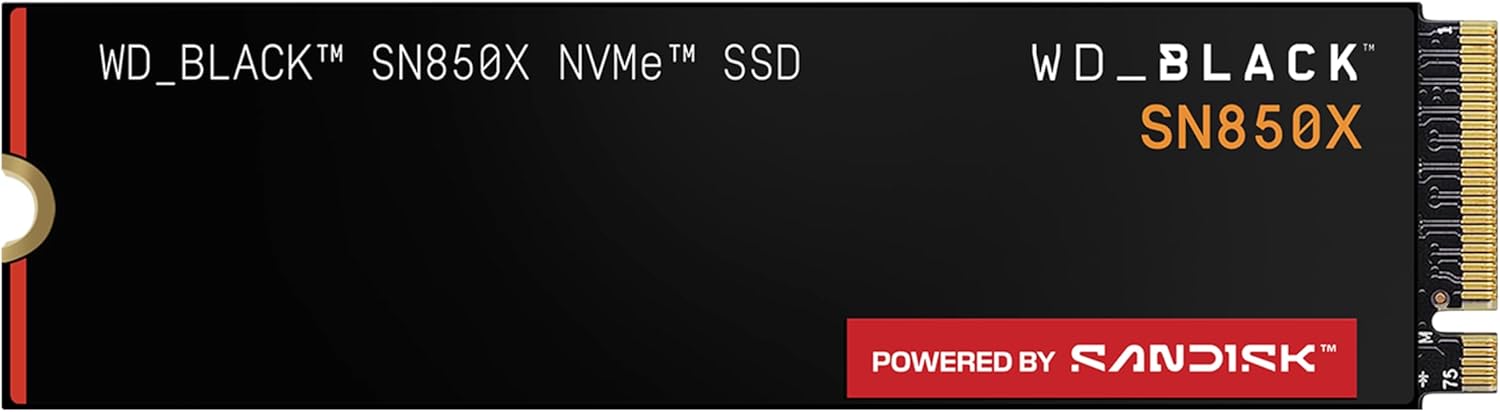
2. WD Black SN850X 4TB — room for a model library
Price changes often — check today’s price on Amazon
🎯 Best for: Keeping many 5–45GB model files
PCIe 4.0 NVMe · fast model loading · 4TB holds dozens of quantized models
Check Price on Amazon →- System RAM: 64GB lets you run a model a little larger than your VRAM by offloading some layers. It's slower, but it works.
- Storage: models are 5–45GB each, and most people keep several. A fast 2–4TB NVMe drive avoids constant deleting.
- Power supply: 750W for a 5060 Ti or 9070 XT build, 850W for a 5080, 1000W+ for a 4090 or 5090.
For a complete parts list, see how to build a PC for running AI models locally.
GPU vs Laptop vs Mac: Which Should You Buy?
- Desktop GPU: the fastest tokens per dollar for models up to 32B, plus you can upgrade later.
- Laptop: portable, but laptop GPUs have less VRAM than their desktop namesakes (a laptop RTX 5090 has 24GB, not 32GB). See our best laptops for running AI models locally.
- Mac: slower per token, but unified memory goes far beyond any consumer GPU, so it's the cheapest way to run 70B+ models. See the best Mac for local LLMs.
Once your GPU is in, pick models with our guide to the best Ollama models for 8GB, 12GB, 16GB and 24GB VRAM.
Frequently Asked Questions
Sources & method: NVIDIA and AMD official specifications (memory size, bandwidth, board power); model sizes from the Ollama model library (Q4_K_M); speed estimates calculated as bandwidth ÷ model size × 0.6, not measured — Himansh, TheAITechPulse
Affiliate disclosure: links to Amazon are affiliate links. I earn a commission if you buy, at no extra cost to you.
