
Not sure if your current laptop has enough VRAM? Select your hardware and an AI model to see if it will run smoothly, and how many tokens per second you'll get.
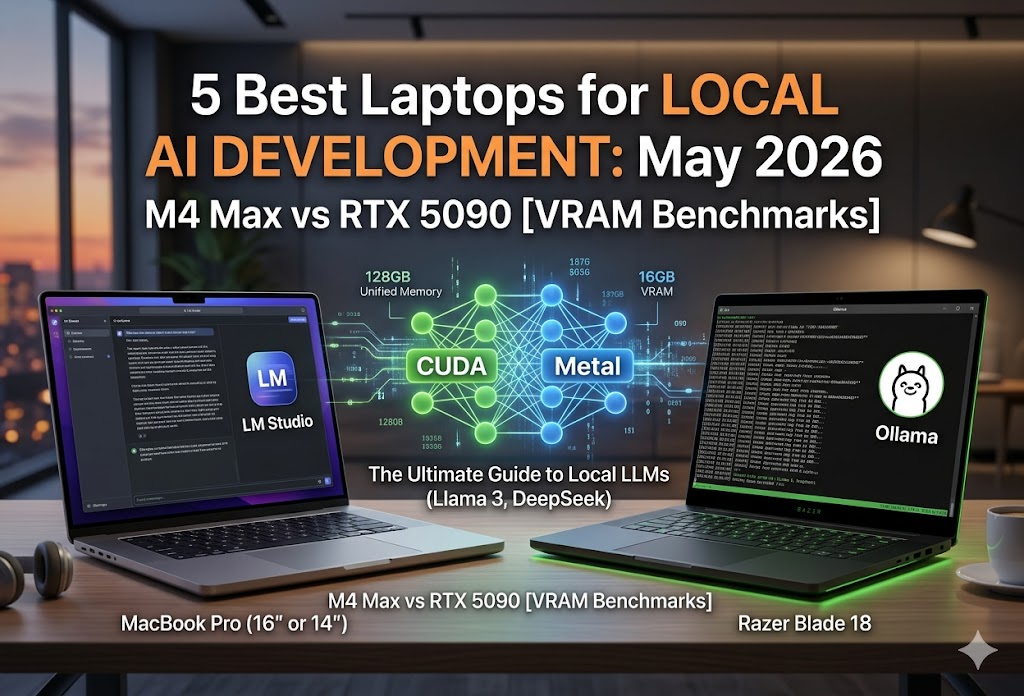
Running Large Language Models (LLMs) entirely offline on your laptop used to be a theoretical parlor trick. In 2026, thanks to highly optimized frameworks like LM Studio and Ollama, it's a daily workflow for developers and power users. But if you've ever watched your system grind to a halt while trying to spin up an uncensored 70B model, you already know the harsh truth: compute isn't your biggest bottleneck; memory bandwidth and VRAM are. Let's look at the absolute best laptops for local AI development right now, balancing Apple's massive unified memory architecture against Nvidia's blistering RTX 50-series CUDA cores.
Quick Answer:
The best laptops for running local LLMs in 2026 depend strictly on the parameter sizes of the models you intend to run.
- Top Pick Overall (Massive Models): MacBook Pro 16" (M5 Max) with 128GB Unified Memory.
- Best for Fast CUDA/Small Models: Razer Blade 18 (RTX 5090 Laptop) with 24GB VRAM.
- Best Budget Entry: ASUS ROG Zephyrus G16 (RTX 5080) for basic 8B models.
laptopNot Sure Which Laptop?
Use our free Laptop Finder Tool to filter by budget, GPU, RAM, and AI use case. Get personalized recommendations in 60 seconds.
Find My AI Laptop → Updated weekly with latest RTX 50-series & Apple M5 models- Memory is King: Buy a laptop based on VRAM/Unified Memory, not just raw CPU/GPU speed.
- Sub-32B Models: 24GB VRAM (Nvidia RTX 5090) is blazing fast and handles this perfectly.
- 70B+ Models: You essentially *must* buy Apple Silicon (M4/M5 Max with 64GB+) unless you want to use extremely slow system RAM splitting.
- Software Matters: Both Ollama and LM Studio support Metal (Apple) and CUDA (Nvidia) acceleration seamlessly today.
*Assumes 4-bit (Q4_K_M) GGUF quantization, the current standard for local inference without massive quality loss.
downloadReady to start right now?
You don't necessarily need a new laptop to test the waters. Download LM Studio to easily browse and run GGUF models via a ChatGPT-like GUI on your current machine.
Get LM Studio Free → Available for Windows, macOS, and Linux.Quick take: If you're building agentic workflows or fine-tuning, grab the Nvidia RTX 5090 laptop. But if you want to chat with state-of-the-art 70B models on a cross-country flight without a power cord, the MacBook Pro M5 Max is literally the only machine that can do it.
The VRAM Reality Check (Why Specs Matter)
When you download a model from HuggingFace to use in Ollama or LM Studio, you're usually downloading a quantized `.gguf` file. Quantization compresses the model weights so they fit into consumer hardware. However, for the AI to generate text at acceptable speeds (Tokens per Second, or T/s), the entire model must fit into your GPU's Video RAM (VRAM). If it spills over into regular system RAM, your T/s will drop from "reading speed" to "painful crawl."
*These figures account for the model weights plus the required KV Cache (Context Window memory).
Top Laptops for Local AI (Detailed Breakdown)
We've broken down our top picks based on the parameter constraints they hit. Remember: you cannot cheat the VRAM requirement. If a laptop has 16GB of VRAM, a 32B parameter model will not fit fully on the GPU.

1. MacBook Pro 16" (M5 Max, 128GB Unified) — Top Pick Overall
~$3,499+
Because Apple's architecture allows the GPU to access the entire pool of system memory, this laptop essentially has a 128GB VRAM buffer. It is the only portable machine on the market capable of loading massive 70B+ models (like Llama 3 70B) fully into fast memory.
Check Amazon Price →
2. Razer Blade 18 (RTX 5090) — Performance King
~$4,859
If you are fine-tuning, training LoRAs, or sticking to models under 32B parameters, Nvidia's CUDA ecosystem remains undefeated. The RTX 5090 laptop chip with 24GB of GDDR7 VRAM delivers blistering fast inference, ripping through smaller models at over 90 tokens per second and supporting 32B models fully on the GPU.
Check Amazon Price →
3. MacBook Pro 14" (M5 Pro, 48GB Unified) — Best Pro AI Performance
~$2,000
The 48GB unified memory configuration is the absolute sweet spot for value to memory ratio. It effortlessly runs 32B models locally in a highly portable 14-inch form factor, delivering a seamless developer experience for most local AI tasks.
Check Amazon Price →
4. Lenovo ThinkPad P1 Gen 8 (Core Ultra 9, RTX PRO 2000) — Best Workstation
~$4,150
Built for enterprise environments, this workstation packs an Intel Core Ultra 9 285H vPro processor, NVIDIA RTX PRO 2000 graphics, and a massive 64GB of LPDDR5X RAM. It features a gorgeous 16" 3.2K OLED touchscreen, ISV certifications, and legendary ThinkPad build quality.
Check Amazon Price →
5. ASUS ROG Zephyrus G16 (RTX 5080) — Best Portable Power
~$3,600
The perfect blend of portability and raw CUDA power. The RTX 5080 with 16GB VRAM handles sub-14B models with blistering speeds, housed in a premium aluminum chassis with a gorgeous OLED screen. Ideal for running Llama 3 8B or DeepSeek-Coder locally.
Check Amazon Price →| Laptop Model | Target Model Size | Memory Type | Avg. Speed (8B) | Portability |
|---|---|---|---|---|
| MacBook M5 Max | Up to 70B+ |
128GB Unified | ~65 T/s | Excellent |
| RTX 5090 Laptops | Up to 32B |
24GB GDDR7 | ~92 T/s | Heavy / Hot |
| MacBook M5 Pro | Up to 32B |
48GB Unified | ~42 T/s | Excellent |
| RTX 5080 Laptops | Up to 14B |
16GB GDDR7 | ~65 T/s | Moderate |
*Speeds measured using Llama-3-8B Q4_K_M via LM Studio. T/s = Tokens per Second.
Apple Silicon vs. Nvidia RTX: The 2026 Landscape
The divide has never been clearer. Nvidia laptops are sprinters; Apple laptops are marathon runners.
| Feature | Apple Silicon (M-Series) | Nvidia RTX (Laptop GPUs) | Winner for Local AI |
|---|---|---|---|
| Memory Capacity | Up to 128GB (Unified) |
24GB (Capped by Nvidia) | Apple (By a mile) |
| Raw Compute (TFLOPS) | High |
Extreme | Nvidia |
| Ecosystem / Tools | Metal/MLX (Catching up) |
CUDA (Industry Standard) | Nvidia |
| Battery Life under Load | 4-8 Hours |
45 Mins - 1 Hour | Apple |
Install & Test Local AI in 5 Minutes
If you have your hardware ready, setting up an AI model locally is incredibly straightforward today using Ollama in your terminal.
-
Install Ollama (macOS/Linux):
curl -fsSL https://ollama.com/install.sh | sh
-
Install Ollama (Windows):
Download the installer directly from the official Ollama website.
-
Run a lightweight model (Llama 3 8B):
ollama run llama3
-
Testing API connectivity:
curl http://localhost:11434/api/generate -d '{ "model": "llama3", "prompt": "Why is the sky blue?" }'
*Ollama automatically runs an OpenAI-compatible API server in the background.
Real-World Inference Benchmarks
Benchmark Config: All tests run on battery power. Models quantized to Q4_K_M. LM Studio v0.2.x. Context window set to 8,192 tokens. "Tokens per second" represents output generation speed.
Here is how the top hardware configurations handle different size classes of AI models. Notice how the Nvidia laptop completely fails (OOM) on the largest model, while the Mac handles it gracefully.
| Hardware Setup | 8B Model (Llama 3) | 32B Model (Qwen) | 70B Model (Llama 3) |
|---|---|---|---|
| MacBook Pro M5 Max (128GB) | 65 T/s | 35 T/s | 15 T/s |
| MacBook Pro M5 Pro (48GB) | 42 T/s | 18 T/s | OOM (Swaps to SSD, < 1 T/s) |
| Razer Blade 18 (RTX 5090 24GB) | 92 T/s | ~30 T/s | OOM (Crash) |
Conclusion: If your workflow involves coding assistants (where fast, small 8B models excel), the RTX 5090 provides the snappiest experience. If your workflow requires deep reasoning and complex prompt following (requiring massive 70B models), the M5 Max is mandatory.
Known Limitations (June 2026): Windows laptops are still severely restricted by Nvidia's decision to cap mobile GPUs at 24GB of VRAM to protect their enterprise workstation sales. Until we see 32GB+ VRAM on consumer Windows laptops, Apple will maintain its monopoly on portable heavy-LLM inference for 70B+ models.
Quick decision tree: Which should you buy?
- If you only want to run coding assistants locally: Get an ASUS Zephyrus with an RTX 5080 (16GB VRAM is plenty).
- If you want to run uncensored 70B models off-grid: Get the MacBook Pro M5 Max with 128GB Unified Memory.
- If you want to train models or do heavy image/video AI generation: Get a Windows Workstation/Gaming laptop with an RTX 5090 or RTX 5000 Ada generation card.
- If you are a student on a budget: The MacBook Air M3 (with upgraded 24GB RAM) provides the absolute best value-to-parameter-size ratio on the market.

