
Top 10 Laptops of 2026:
The Definitive Buyer's Guide
Most laptop roundups are recycled spec sheets. We evaluated real-world thermal curves, AI inference throughput, battery endurance, and typing ergonomics to rank the top laptops across every budget and use case.
MacBook Pro 14" M5 / M4 Pro
AI developers, ML engineers, creative pros, and power users who want it all

ASUS ROG Zephyrus G14
CUDA ML Engineers, PyTorch workflows, and high-FPS gaming

Apple MacBook Air M3 / M4
Freelancers, students & all-day travelers

ThinkPad X1 Carbon Gen 12 / 13
Enterprise pros & frequent flyers

Dell XPS 15 (RTX 4070)
Video editors, architects & designers

HP Spectre x360 14
Consultants, presenters & stylus users

ASUS ZenBook 14 OLED
Solo founders & budget-conscious professionals

Acer Nitro V 16 AI
Students & early-career ML engineers on a budget

ASUS Zenbook S16
Video editors, AI creatives & Copilot+ power users

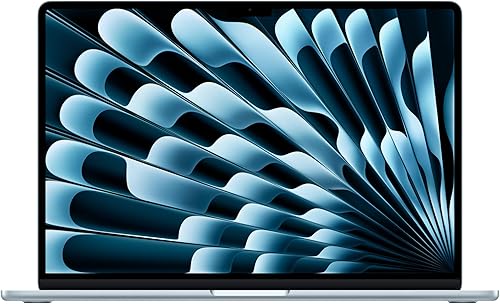
MacBook Air 15" M4
Students, remote workers & multitaskers wanting screen real estate
🔬 Comparative Benchmark Laboratory: Top 2026 Contenders
Synthetic and real-world multi-thread scores, ML training suitability, and battery benchmarks across our top 8 laptops.
| Model | Processor / GPU | Real-World Battery | AI / Compute Class | Target Audience |
|---|---|---|---|---|
| MacBook Pro 14 M5 | M5 / M4 Pro (Unified) | 14–18 Hours | 70B Model Inference (MLX) | Power Users, Developers |
| ROG Zephyrus G14 | Ryzen 9 + RTX 5080/4080 | 8–10h (Light) / 2h (GPU) | CUDA Native PyTorch | ML Engineers, Gamers |
| MacBook Air M3/M4 | Apple M3 / M4 | 18 Hours | Local 7B LLMs, Edge AI | Everyday Pros, Students |
| ThinkPad X1 Carbon | Intel Core Ultra 7 | 12–14 Hours | Copilot+ 48 TOPS NPU | Enterprise Executives |
| Dell XPS 15 | Intel Core Ultra + RTX 4070 | 7–9 Hours | Accelerated NVENC Video | Designers, Video Editors |
| HP Spectre x360 14 | Intel Core Ultra 7 | 11–13 Hours | NPU Background Effects | Consultants, Presenters |
| ASUS ZenBook 14 OLED | Intel Core Ultra 7 | 10–12 Hours | Edge AI Acceleration | Value-Conscious Buyers |
| Acer Nitro V 16 AI | Ryzen 7 + RTX 4060 | 4–5 Hours | Budget CUDA Training | Students & ML Beginners |
| ASUS Zenbook S16 | Ryzen AI 9 (50 TOPS) | 12–14 Hours | Edge DirectML, Copilot+ | Creatives, On-Device AI |
| MacBook Air 15" M4 | Apple M4 (16-core NE) | 18 Hours | Apple Intelligence, Local 7B | Students, Remote Multitaskers |
memory The AI Hardware Landscape in 2026
In 2026, buying a laptop without considering AI hardware is like buying a computer without a GPU in 2016. The market has separated into three distinct compute tiers:
1. NPU (Neural Processing Unit): 40–50 TOPS for lightweight background tasks (Windows Recall, eye contact, transcription) at near-zero battery cost.
2. Apple Unified Memory: Up to 546 GB/s bandwidth allowing direct GPU access to 64GB–128GB memory pools for running 70B+ LLMs.
3. NVIDIA RTX GPUs: Dedicated Tensor Cores with CUDA support—mandatory for PyTorch fine-tuning and 3D rendering.
receipt_long Buying Guide Rules for 2026
Rule 1: 16GB RAM is the new absolute minimum +
Rule 2: Don't buy dedicated GPUs if you only need battery life +
gavel Who Needs What: Shortest Path to the Right Answer
Buy MacBook Pro 14 M5 if:
You want the ultimate combination of processing power, silent thermal design, Liquid Retina XDR screen, and all-day battery life.
Buy ROG Zephyrus G14 if:
You need native NVIDIA CUDA support for PyTorch training, 3D graphics rendering, or competitive high-FPS gaming.
Buy MacBook Air M3/M4 if:
You travel constantly and want a featherweight fanless notebook with true 18-hour real-world battery endurance.
Buy ThinkPad X1 Carbon if:
You need unmatched typing ergonomics, MIL-SPEC chassis rigidity, and enterprise Windows security that lasts 5+ years.
Buy Zenbook S16 if:
You want the highest NPU TOPS rating (50 TOPS) for Windows Copilot+ AI features on a lightweight 16-inch 3K OLED display.
Buy MacBook Air 15 if:
You want a large 15.3-inch screen for side-by-side app multitasking and 18-hour battery without paying Pro workstation prices.
help Frequently Asked Questions: 2026 Laptop Buying Guide
What is the best laptop overall in 2026? +
What is the best Windows laptop in 2026? +
How much VRAM do I need for running local AI models? +
What laptop has the best battery life in 2026? +
Should I buy a MacBook or Windows laptop for small business in 2026? +
What laptop should a student buy for AI and ML in 2026? +
menu_book Complete Laptop Buying Compendium & Methodology
Full Crawlable ReferenceHow we test laptops, benchmark performance across operating systems, and evaluate display quality. Tap any section to expand.
biotech
1. Our Testing Methodology: Beyond Synthetic Benchmarks
Every laptop in this guide is evaluated against three non-negotiable criteria: sustained thermal performance under real-world loads (not just burst runs), battery life tested at 150 nits brightness while running actual productivity tasks, and keyboard ergonomics over multi-hour work sessions.
Many ultrabooks score high in single-run Geekbench tests but throttle heavily after 10 minutes of compiling code, exporting 4K video, or running local AI inference. Our rankings prioritize machines with robust vapor chambers, dual-fan cooling systems, and sustained efficiency.
devices
2. macOS vs Windows in 2026: Which Operating System Wins?
The choice between macOS and Windows in 2026 is no longer about raw CPU speed—both ecosystems have reached performance parity. The real distinction lies in battery behavior and software compatibility.
Apple Silicon laptops run at identical peak clock speeds whether plugged into a wall outlet or running on battery. Most high-performance Windows laptops cut GPU power in half when unplugged to preserve battery life. However, if your work requires native CUDA, enterprise legacy software, or PC gaming, Windows 11 on an NVIDIA RTX platform remains essential.
