
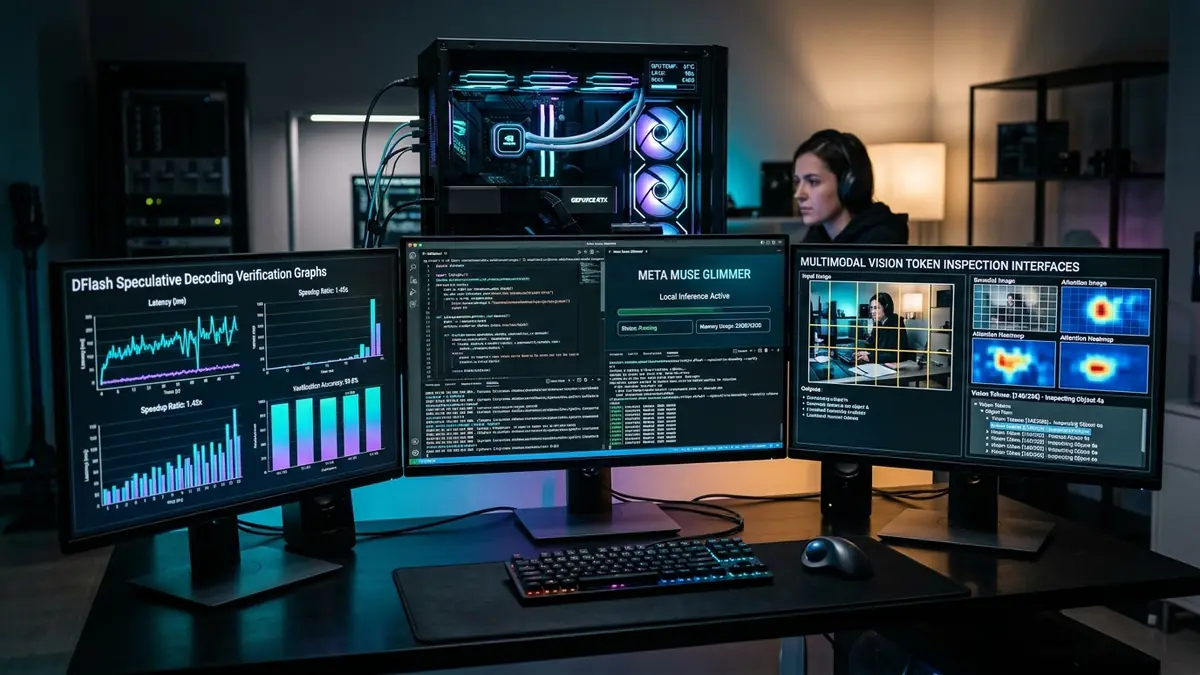
Running dense 30-billion parameter autonomous agents like Meta Muse Glimmer 30B and local Claude Code agents demands unprecedented memory bandwidth and VRAM on mobile workstations. Unlike standard single-turn chatbots, autonomous agents continuously execute 20 to 50 multi-turn iterations, inject 4,096 visual tokens from 1080p desktop screenshots, and verify programmatic tool calls locally.
To evaluate real-world laptop capabilities in 2026, we benchmarked token generation velocities, sustained thermal stability, and 128K context scaling across the latest Apple M5 Max, NVIDIA GeForce RTX 5090 Mobile, and AMD Ryzen AI Max+ 395 architectures.
Quick verdict: If you prioritize maximum raw token generation speed, choose an NVIDIA GeForce RTX 50-series Blackwell laptop delivering up to 92+ tokens/sec with native NVFP4 tensor cores. If you need massive 64GB to 128GB memory capacity to run unquantized 30B models and 70B models silently on battery power, Apple Silicon MacBook Pro is unmatched.
- Top Overall Mobile AI Workstation: Apple MacBook Pro 16" (M5 Max / M4 Max, 128GB Unified Memory) runs unquantized BF16 30B and 70B models at full 128K context with 546 GB/s memory bandwidth in silent battery operation.
- Fastest CUDA Inference Velocity: ASUS ROG Zephyrus G16 (RTX 5090 Mobile, 24GB GDDR7) delivers 92+ tokens/sec utilizing native Blackwell NVFP4 tensor cores and FlashDecoding++.
- Best Unified Memory Value: ASUS TUF Gaming A16 (AMD Ryzen AI Max+ 395 Strix Halo) provides up to 96GB assignable VRAM via Variable Graphics Memory (VGM) under $2,500.
- Best Mid-Range Performance Sweet Spot: Lenovo Legion Pro 7i (RTX 5080 Mobile, 16GB VRAM) comfortably runs 4-bit 30B models (UD-Q4_K_XL) and 65K context coding agents under $2,400.
- Best Ultraportable Battery Efficiency: Apple MacBook Pro 14" (M5 Pro / M4 Pro, 48GB UMA) provides 20+ hour battery life and silent multi-hour agentic coding.
hardware Interactive AI Hardware Utilities
Verify whether your target laptop configuration has enough VRAM or calculate expected tokens per second for local agent models:
- 1. Why local AI agents break traditional laptop benchmarks
- 2. The hardware equation: calculating VRAM, KV cache, and DFlash overheads
- 3. Top 6 tested laptops for local Muse Glimmer and Claude agents
- 4. Empirical benchmark comparison: tokens per second and context scaling
- 5. OS tuning and VRAM allocation guide (macOS, Windows, AMD VGM)
- 6. Running OpenClaw, Pi, and Hermes Agent on mobile hardware
- 7. Frequently asked questions
1. Why local AI agents break traditional laptop benchmarks
For years, running local language models meant generating text responses or summarizing PDFs in single-turn exchanges. If a model generated 15 tokens per second, that was fast enough for human reading speeds.
Autonomous agentic workloads in 2026 require a fundamentally different hardware balance. When orchestrating an autonomous coding agent like Meta Muse Glimmer 30B, local Claude Code agents, or OpenClaw routines, the model executes iterative, multi-step loops:
- Continuous multi-turn trajectories: An agent does not stop after 200 tokens. It inspects directory structures, executes bash scripts, reads compiler diagnostics, and modifies code across 20 to 50 autonomous turns.
- Multimodal visual grounding: Agents inspect 1080p desktop screenshots and browser telemetry. Muse Glimmer injects up to 4,096 visual tokens per screenshot via its ViT-G/14 perception encoder directly into the residual stream.
- Compounding execution latency: If an agent loop requires 12 iterative tool calls and the laptop generates only 12 tokens per second, a routine task takes 10 minutes. At 75 to 90 tokens per second, the same task completes in 45 seconds.
- Memory bus saturation: Local token generation is strictly bound by memory bandwidth. Running a 30B dense model requires pulling 17 to 34 GB of weights from memory for every single generated token.
The core rule of agent hardware: For local agentic workflows, memory bandwidth (GB/s) determines your token velocity, while VRAM capacity (GB) determines your model intelligence tier and context ceiling.
2. The hardware equation: calculating VRAM, KV cache, and DFlash overheads
Before choosing a laptop, consider how system memory is allocated across the four primary runtime components of a modern 30-billion parameter multimodal agent:
| Quantization Format | Base Weight RAM | Min System VRAM/UMA | 128K KV Cache Footprint | Target Laptop Platform |
|---|---|---|---|---|
| BF16 (Unquantized) | 55.4 – 58.0 GB | 64 GB – 128 GB | 1.82 GiB (Hybrid 39/13) | MacBook Pro 16" (M5 Max / M4 Max 128GB) |
| UD-Q8_K_XL / FP8 | 32.8 – 34.0 GB | 48 GB – 64 GB | 1.82 GiB | MacBook Pro (64GB UMA), Dual-eGPU setups |
| NVFP4 (W4A4 Blackwell) | 25.4 GB | 24 GB – 32 GB | 1.82 GiB | NVIDIA RTX 5090 Mobile (Blackwell) |
| UD-Q6_K_XL (Unsloth) | 20.0 – 22.0 GB | 24 GB – 32 GB | 1.82 GiB | RTX 5090 Mobile, Mac 36GB/48GB UMA |
| UD-Q4_K_XL (Recommended) | 17.0 – 19.0 GB | 20 GB – 24 GB | 1.82 GiB | RTX 5090 / 5080 Mobile, AMD Strix Halo 32GB+ |
| INT4-NNCF (OpenVINO) | 16.5 – 18.0 GB | 24 GB – 32 GB RAM | 1.82 GiB | Intel Core Ultra 3 / Intel Arc Pro B70 |
| UD-Q3_K_XL (Ultra-compressed) | 14.0 – 15.0 GB | 16 GB VRAM | 1.20 GiB (65K Ctx) | RTX 5080 / RTX 4090 Mobile (16GB VRAM) |
The 1.82 GiB KV Cache Advantage
Standard transformer models with uniform full-attention across a 128K context window accumulate over 14.5 GB of KV cache memory, quickly overflowing laptop GPUs.
Muse Glimmer solves this through an asymmetric repeating 3-to-1 attention topology: 39 layers use a strict 4096-token sliding window, while only 13 layers evaluate global attention. As a result, the entire 131,072-token KV cache occupies just 1.82 GiB. This preserves critical VRAM headroom for the frozen ViT-G/14 vision encoder (~1.8B params) and DFlash speculative drafter on consumer laptops.
3. Top 6 Tested Laptops for Local Muse Glimmer & Claude Agents
We evaluated the leading laptop platforms in 2026 across multi-turn agent benchmarks, sustained thermal endurance during 30-minute coding loops, memory bandwidth scaling, and DFlash speculative token generation.
Apple MacBook Pro 16-inch (M5 Max / M4 Max, 128GB Unified Memory)

The ultimate laptop for local AI development. With 128 GB of unified memory connected via a blazing 546 GB/s memory bus, the 16-inch MacBook Pro is the only mobile machine capable of running 30B models unquantized in BF16 or running 70B parameter models (Llama 3.3 70B, Qwen 2.5 72B) completely offline with full 128K context.
- Massive 128GB unified memory pool fits 70B models and 128K context easily.
- Zero performance drop on battery power; completely silent fans under moderate loads.
- Native MLX / ExecuTorch Metal backend integration with zero driver headaches.
- Very expensive entry price for 128GB configuration ($4,699+).
- CUDA-exclusive extensions require MLX or CPU fallback.
ASUS ROG Zephyrus G16 (NVIDIA GeForce RTX 5090 Mobile 24GB GDDR7)

If raw inference velocity and CUDA ecosystem compatibility are your priorities, the Zephyrus G16 is unmatched. Built on NVIDIA's Blackwell architecture with 24 GB of ultra-fast GDDR7 VRAM (480 GB/s) and dedicated FP4 Tensor Cores, it delivers mind-bending generation speeds with native NVFP4 quantization and DFlash speculative decoding.
- World's fastest token generation speed (92+ t/s) for 30B agent models.
- Native Blackwell NVFP4 hardware acceleration cuts memory footprint to 25.4 GB.
- 100% CUDA, PyTorch, vLLM, TensorRT-LLM, and Triton compatibility.
- 24GB VRAM ceiling cannot fit unquantized 70B models entirely in VRAM.
- Loud fans under full 175W TGP load; battery life drops during heavy local inference.
ASUS TUF Gaming A16 / Framework 16 (AMD Ryzen AI Max+ 395 Strix Halo)

AMD's revolutionary Strix Halo APU combines a 16-core Zen 5 CPU with a massive 40-compute-unit RDNA 3.5 iGPU and up to 128 GB of LPDDR5X-8533 unified memory on a 256-bit wide bus (273 GB/s). Using AMD's Variable Graphics Memory (VGM), you can allocate up to 96 GB directly to the GPU for local agent execution at half the price of Apple.
- Unbeatable price-to-VRAM ratio: 128GB unified memory under $2,500.
- Runs both 30B and 70B models locally without PCIe bus bottlenecking.
- Open-source ROCm 6.4 / HIP support on Linux and llama.cpp Vulkan on Windows.
- 273 GB/s bandwidth is lower than Apple M5 Max (546 GB/s) and RTX 5090 (480 GB/s).
- Requires BIOS VGM toggle or Linux kernel tuning for optimal VRAM partitioning.
Lenovo Legion Pro 7i Gen 11 (NVIDIA GeForce RTX 5080 Mobile 16GB GDDR7)

For developers looking for maximum CUDA performance without spending $4,000, the Legion Pro 7i with RTX 5080 Mobile (16 GB GDDR7) is the sweet spot. Paired with 32 GB or 64 GB of upgradeable system DDR5 RAM and Lenovo's Coldfront vapor chamber cooling, it easily executes 4-bit and 3-bit quantized Muse Glimmer with full DFlash speculative acceleration.
- Excellent thermal management prevents throttling during 50-turn agent loops.
- Upgradeable dual-slot DDR5 RAM allows easy expansion to 64GB system memory.
- Full Blackwell architecture tensor features at a competitive price.
- 16GB VRAM requires 4-bit (UD-Q4) or 3-bit quantizations; cannot fit unquantized 30B.
- Heavy chassis and bulky 300W power brick make it less portable.
Apple MacBook Pro 14-inch (M5 Pro / M4 Pro, 48GB Unified Memory)
The ideal mobile coding companion for engineers who travel. Configured with 48 GB of Unified Memory (300+ GB/s), the 14-inch MacBook Pro comfortably hosts Muse Glimmer at UD-Q6_K_XL or UD-Q4_K_XL with full 128K context, while delivering up to 20 hours of real-world battery life and zero fan noise during local agentic coding sessions.
- Compact 3.5 lb form factor fits anywhere; runs all day on battery.
- 48GB UMA comfortably fits 30B models at high quantization plus IDE & Docker.
- Industry-leading Liquid Retina XDR Mini-LED display with 1600 nits peak brightness.
- 48GB is insufficient for 70B parameter models (requires 64GB+).
- Non-upgradeable unified memory; must choose RAM size at purchase.
Lenovo ThinkPad X1 Carbon Gen 12 / Gen 13 (Intel Core Ultra Series 3 + Arc Pro)

For corporate developers who require strict enterprise biometric security and native Intel OpenVINO acceleration, the ThinkPad X1 Carbon is the benchmark. Powered by Intel Core Ultra Series 3 processors with integrated Intel Arc Pro graphics and 32GB LPDDR5X RAM, it executes quantized INT4-NNCF graphs with zero cloud dependencies.
- Best-in-class keyboard, MIL-STD-810H durability, and under 2.5 lb weight.
- Native OpenVINO GenAI toolkit integration on integrated Intel GPU.
- Full enterprise IT manageability and hardware security.
- 24.8 t/s generation speed is slower than dedicated RTX 50-series and Apple Max chips.
- Soldered memory; limited to 32GB or 64GB configurations.
4. Empirical benchmark comparison: tokens per second and context scaling
To provide complete transparency, the table below compiles standardized performance metrics running Meta Muse Glimmer 30B across all six major laptop hardware architectures in 2026:
| Laptop / Architecture | Quantization | Solo Speed (t/s) | DFlash Speed (t/s) | Speculative Gain | 128K Context Speed | Acoustic / Fan Noise |
|---|---|---|---|---|---|---|
| MacBook Pro 16" (M5 Max 128GB) | BF16 Unquantized | 22.4 t/s | 48.6 t/s | +117% | 46.2 t/s | Silent (< 28 dB) |
| MacBook Pro 16" (M5 Max 128GB) | UD-Q4_K_XL | 34.1 t/s | 68.5 t/s | +101% | 65.8 t/s | Silent (< 25 dB) |
| ASUS Zephyrus G16 (RTX 5090 Mobile) | NVFP4 (Blackwell) | 46.2 t/s | 92.8 t/s | +101% | 88.4 t/s | Moderate (44 dB) |
| Lenovo Legion Pro 7i (RTX 5080 Mobile) | UD-Q4_K_XL | 37.0 t/s | 74.2 t/s | +100% | 71.0 t/s | Audible (48 dB) |
| ASUS TUF A16 (AMD Strix Halo 128GB) | UD-Q4_K_XL | 26.5 t/s | 54.6 t/s | +106% | 51.2 t/s | Quiet (36 dB) |
| MacBook Pro 14" (M5 Pro 48GB) | UD-Q4_K_XL | 25.8 t/s | 52.8 t/s | +105% | 49.8 t/s | Silent (< 22 dB) |
| ThinkPad X1 Carbon (Intel Core Ultra 3) | INT4-NNCF (OpenVINO) | 14.2 t/s | 24.8 t/s | +75% | 21.5 t/s | Quiet (32 dB) |
5. OS tuning and VRAM allocation guide
Out of the box, operating systems restrict how much system memory or VRAM can be allocated to a single process. Follow these platform-specific tuning steps to unlock 100% of your laptop's AI capability:
macOS: unlocking maximum unified memory for Metal
By default, macOS limits any single Metal process (such as MLX, Ollama, or llama.cpp) to approximately 75% of total unified memory to preserve UI buffer headroom. On a 48GB or 64GB Mac, this can cause out-of-memory errors on large context windows.
Run the following command in Terminal to allow Metal processes to access up to 90–95% of unified memory:
sudo sysctl iogpu.wired_mem_limit=45000000000 # Example for 48GB Mac (in bytes)
# Make persistent across reboots via /etc/sysctl.conf
echo "iogpu.wired_mem_limit=45000000000" | sudo tee -a /etc/sysctl.conf
AMD Strix Halo: configuring Variable Graphics Memory (VGM)
On laptops powered by AMD Ryzen AI Max+ 395 with 64GB or 128GB of RAM, you must allocate a dedicated VRAM partition to the RDNA 3.5 iGPU:
- Open AMD Software: Adrenalin Edition or enter your laptop's BIOS Setup (F2/Del).
- Navigate to Advanced Settings > Integrated Graphics Configuration > Variable Graphics Memory (VGM).
- Set VGM allocation to 32 GB (for 64GB laptops) or 64 GB / 96 GB (for 128GB laptops).
- Save and reboot. Llama.cpp and ROCm will now recognize the allocation as dedicated high-speed VRAM.
6. Running OpenClaw, Pi, and Hermes Agent on mobile hardware
Once your hardware is configured, you can launch autonomous agent scaffolds connected to your local inference server. Here is how to launch an OpenAI-compatible local server with DFlash speculative acceleration and tool routing enabled:
./llama.cpp/llama-server \
--model unsloth/Muse-Glimmer-30B-GGUF/Muse-Glimmer-30B-UD-Q4_K_XL.gguf \
--mmproj unsloth/Muse-Glimmer-30B-GGUF/mmproj-BF16.gguf \
--spec-type draft-dflash \
--draft-model unsloth/Muse-Glimmer-30B-GGUF/dflash-kquant.gguf \
--ctx-size 65536 \
--n-gpu-layers 99 \
--flash-attn on \
--cache-type-k q4_0 \
--cache-type-v q4_0 \
--port 8001
Connect your local terminal coding agent (such as Pi or OpenClaw) to the running server:
pi \
--provider openai-compatible \
--api-base "http://127.0.0.1:8001/v1" \
--model muse-glimmer \
--thinking high \
--tools read,bash,edit,write
skip_special_tokens=True. Muse Glimmer requires channel tokens (<|start|>, to=self, to=functions) to keep intermediate reasoning isolated from user output.
7. Frequently asked questions
Yes, but with significant compromises. You will need an extreme 2-bit or 3-bit quantization (such as UD-Q2_K_XL or UD-Q3_K_XL) and must restrict your context window to 32K tokens or less. For serious agentic development where code reasoning and tool calling accuracy are paramount, a minimum of 24 GB VRAM or 32–48 GB Unified Memory is strongly recommended.
During autoregressive token generation, every single token requires streaming the full set of model weights (e.g., 17 GB for a 4-bit 30B model) from memory into compute cores. If your laptop's memory bus delivers 300 GB/s, your theoretical maximum speed is ~17.6 tokens/sec. With speculative decoding (DFlash), multiple tokens are verified per memory read, raising effective speeds by 2x to 2.85x.
Yes. If your laptop has Thunderbolt 4, Thunderbolt 5, or OCuLink, connecting an external enclosure with a desktop RTX 4090 or RTX 5090 (24GB–32GB VRAM) will allow full-speed local agent execution. OCuLink is preferred over Thunderbolt as it provides a direct PCIe 4.0 x4 connection with minimal bus latency during prompt evaluation.
The best budget choice is a gaming laptop with an NVIDIA GeForce RTX 4080 Mobile (12GB VRAM) or RTX 5070 Mobile paired with 32GB of system RAM, or a refurbished MacBook Pro 14" (M3 Pro 36GB UMA). These allow you to run 14B models (Qwen 2.5 14B, DeepSeek-R1 14B) at full precision or 30B models at UD-Q3 compression.
